

ClearView Pro
Offline financial intelligence and professional management reporting for UK accountants, bookkeepers and finance professionals.
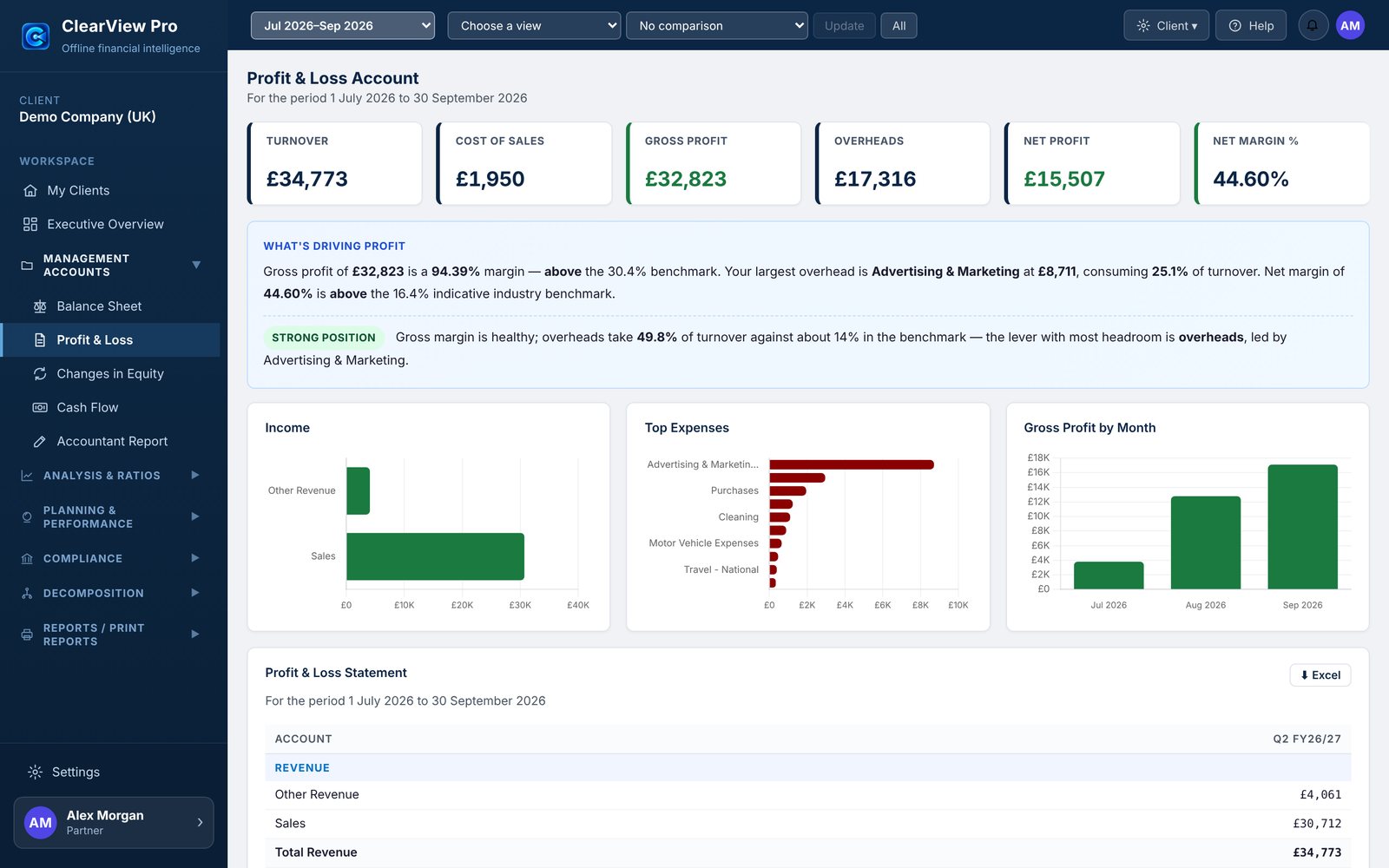
From source accounting data to a consistent house style.
ClearView Pro brings each client’s exports into one ClearView model, maps the accounts once, and presents every client through the same reporting environment.
Management reporting
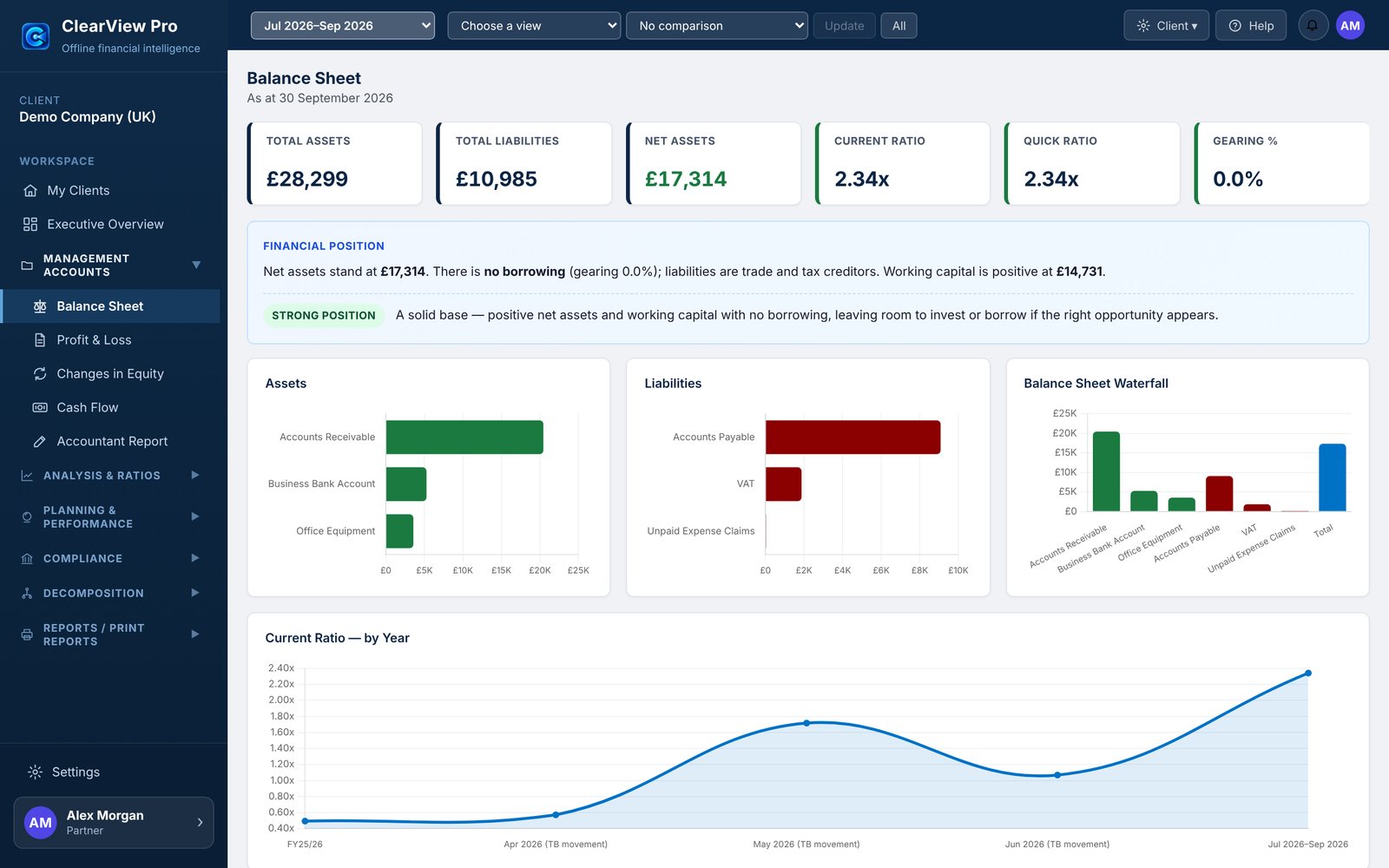
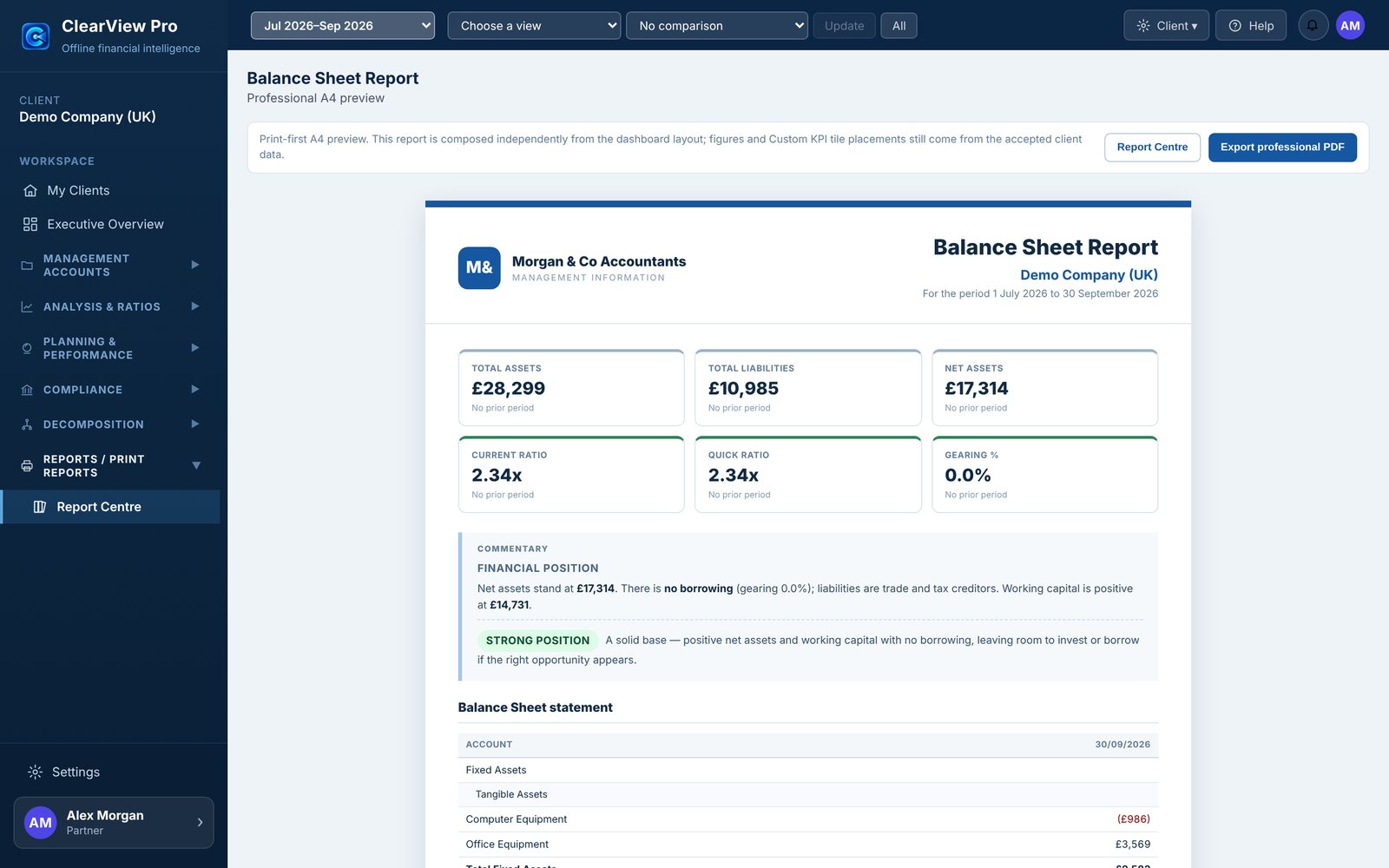
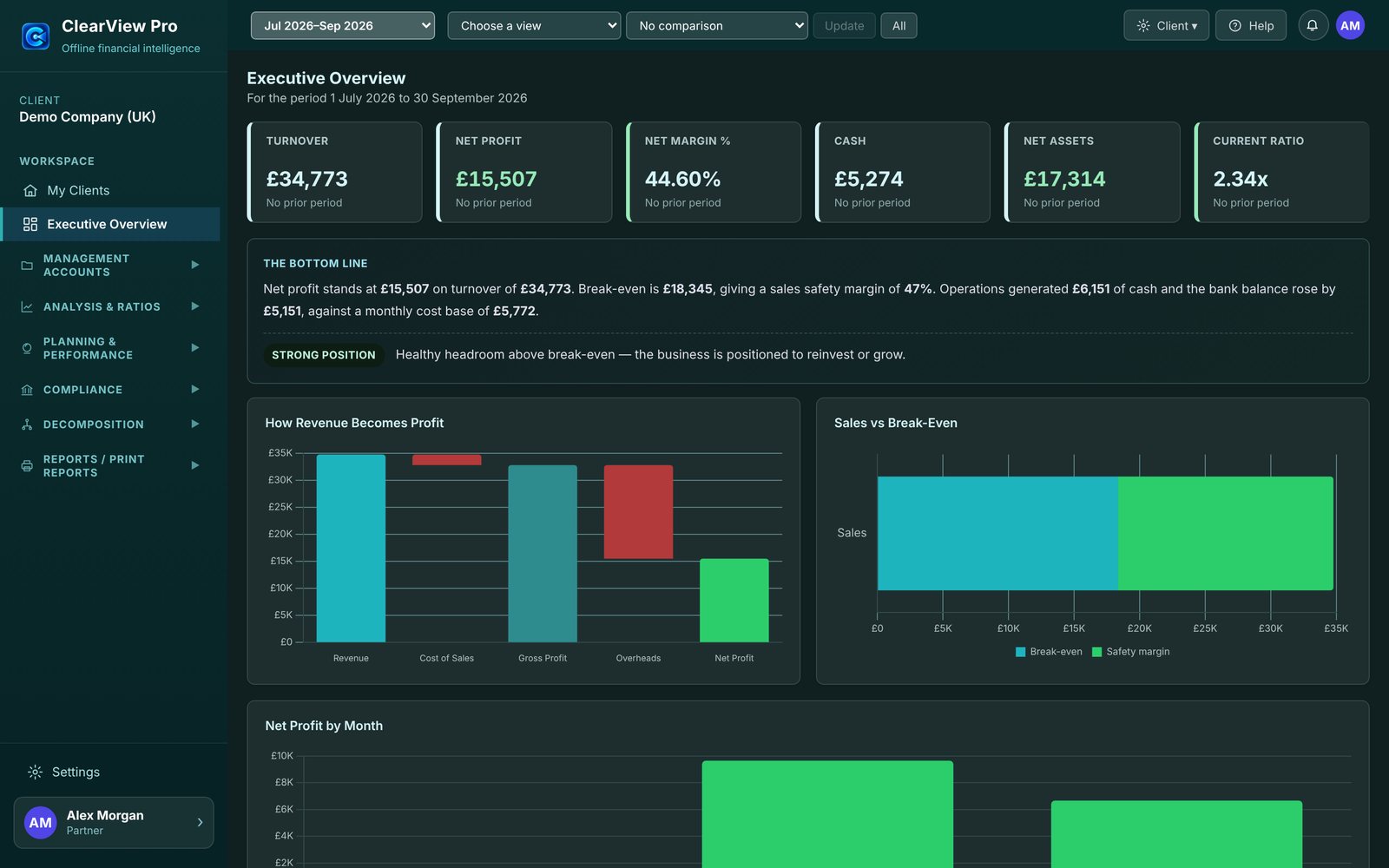
- Executive Overview, Profit & Loss, Balance Sheet, Changes in Equity, Cash Flow and the Accountant Report
- Plain-English commentary on every statement, which you can review and edit
- Professional A4 PDFs: individual reports, the Starter Report Pack, or a Custom Report Pack of any of the 18 reports
- Your practice name, logo and accent colour on client-facing reports; Excel export with amounts as numbers
Choose any period
- Any month, quarter, year to date or date range
- Compare with the previous period or the same period last year — or no comparison
- UK period names (FY25/26, Q2 FY26/27) and titles that show only the dates reported
- Statements from a General Ledger, Trial Balances, or both
Performance and planning
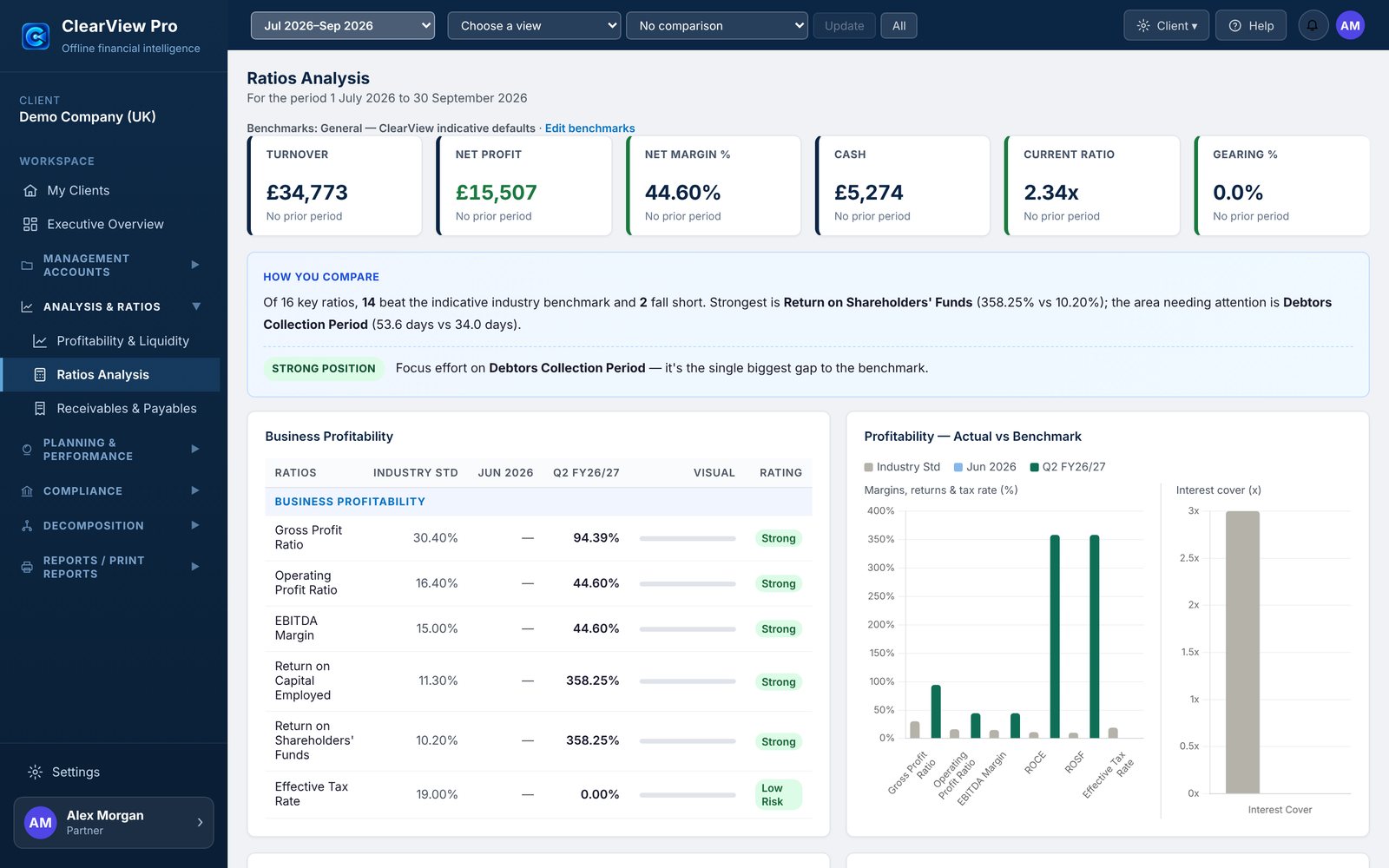
- Profitability, liquidity and 16 key ratios against indicative UK industry benchmarks, or your own
- Receivables and payables review, and drill-down to the underlying transactions
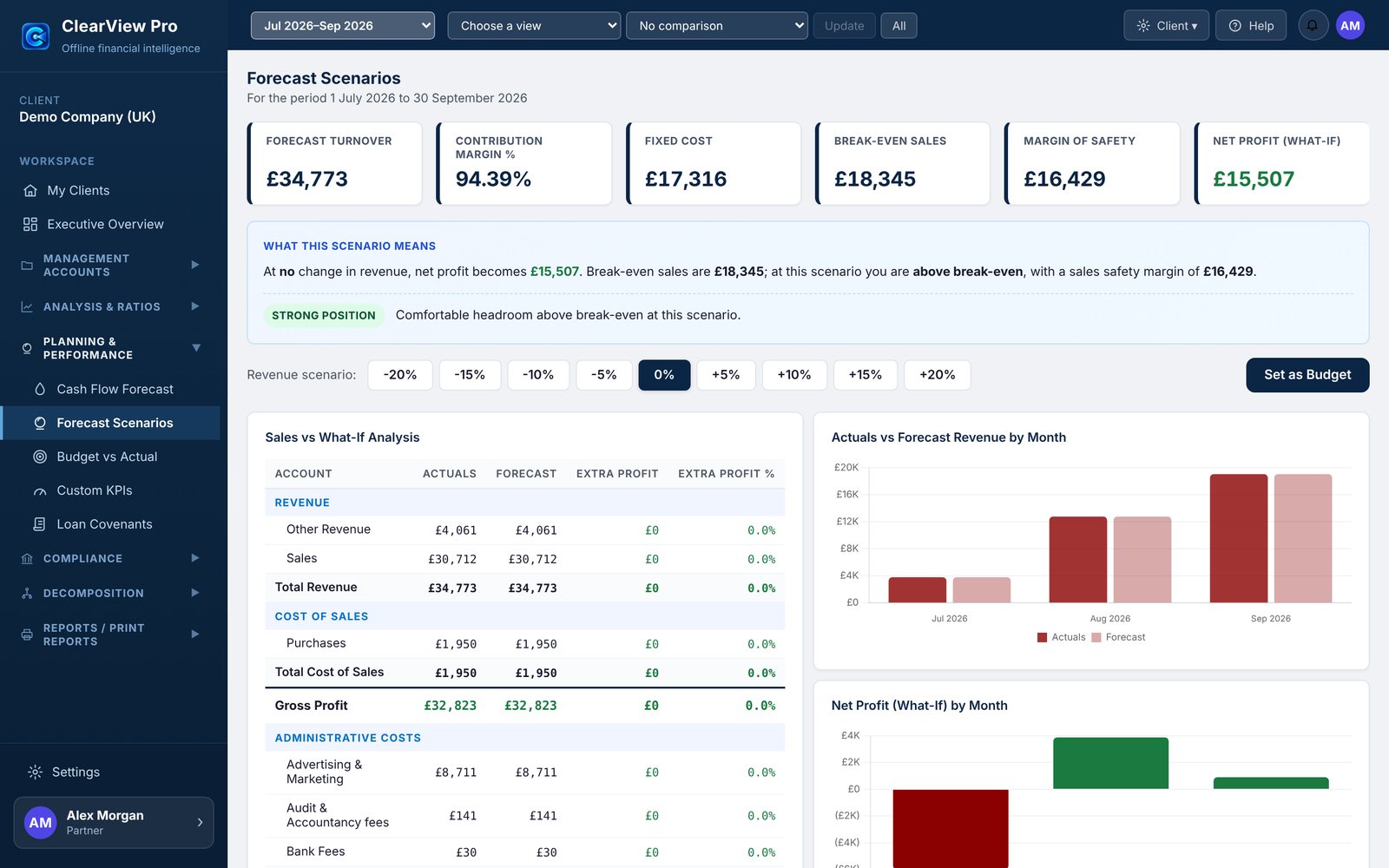
- Cash Flow Forecast, Forecast Scenarios and Budget vs Actual
- Custom KPIs and loan covenant monitoring
VAT and decomposition
- VAT Return estimate from the ledger, using account-level VAT rates
- Profit & Loss, Balance Sheet and Cash Flow decomposition trees
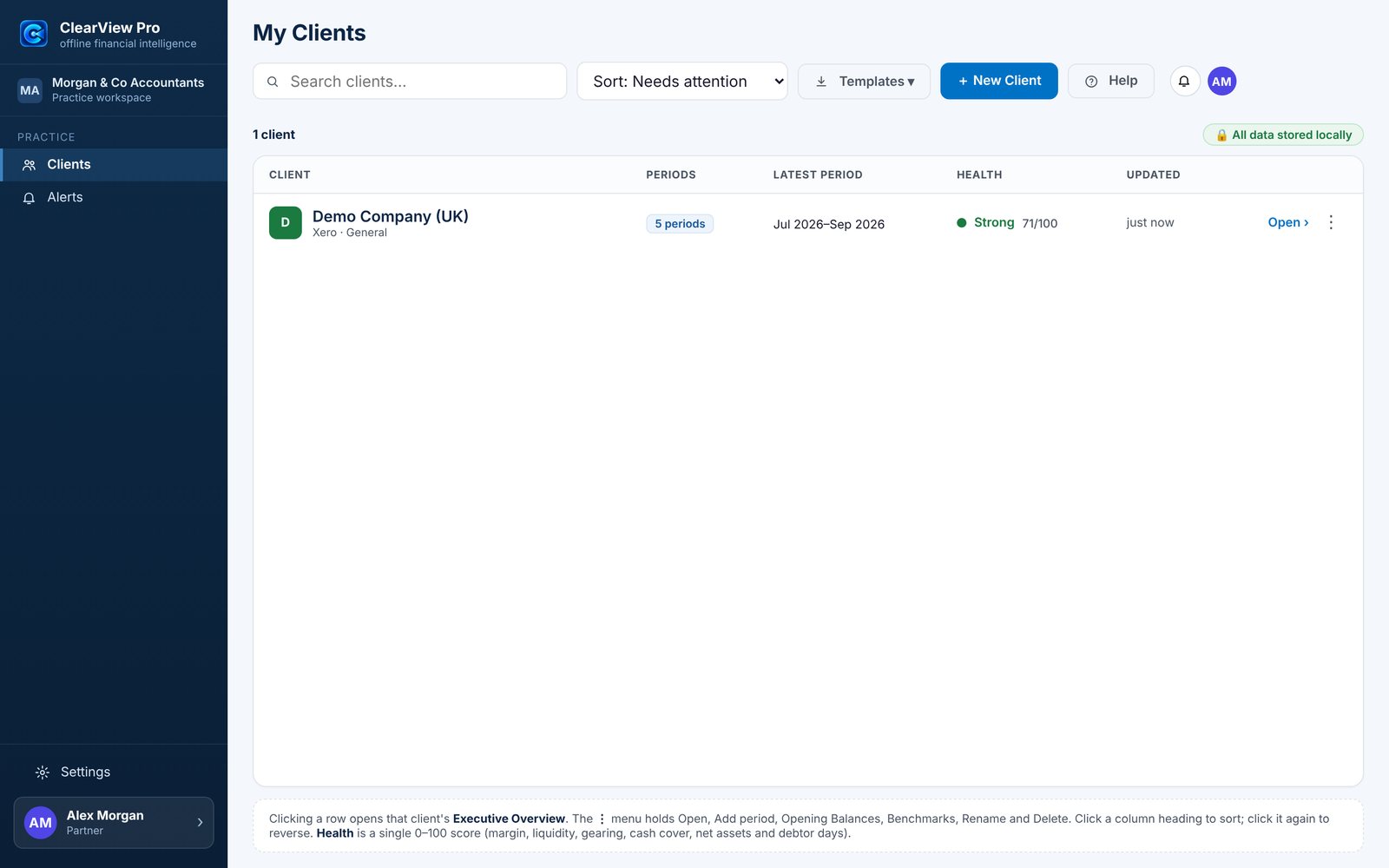
- A single 0–100 health score per client on My Clients
- Clear notes on how every figure is worked out
Safe, reliable imports
- Xero and QuickBooks Online exports — Chart of Accounts, General Ledger and Trial Balance — or ClearView templates
- Every import stops at a preview: nothing is saved until you choose Save
- Overlapping periods: Replace, Keep existing or Review differences
- Unfamiliar ledger layouts open a column-mapping screen; QuickBooks statements match QuickBooks line by line
Your data, your computer
- Client data stays on your computer and is never sent to us
- Practice password with a recovery key; automatic protection and manual backups
- Client currency shown as £, $, €, Rs or your own symbol (display only)
- Colour themes: Navy, Teal, Graphite or Indigo, in Light, Dark or Match Windows
Four steps from export to report.
- ExportExport the Chart of Accounts and a General Ledger or Trial Balance from Xero or QuickBooks Online — or fill in a ClearView template.
- PreviewClearView Pro checks the file and shows an Import Preview. Nothing is saved until you choose Save.
- Map onceAccounts are mapped to UK reporting categories automatically, with anything uncertain marked for review. Later periods reuse your decisions.
- ReportChoose the period and comparison, review the commentary, and export a professional PDF or an Excel workbook.
See it working.
Taken from ClearView Pro 2.31 with the built-in Demo Company. Select a picture to see it full size.
Runs on the Windows you already have.
- Windows 10 or Windows 11, 64-bit (x64)
- 4 GB RAM (8 GB recommended)
- About 500 MB of free disk space, plus space for your client files and backups
- No internet connection needed to run — Help and the User Manual are built in
- A screen of 1366 × 768 or larger
One purchase. Yours to keep.
A perpetual licence for version 2 with 12 months of updates and support — no subscription and no cloud account. Each licence is for one named user on up to two computers. Try everything free for 30 days first.
Frequently asked.
Does ClearView Pro connect to Xero or QuickBooks?
It works from the files you export from Xero or QuickBooks Online (Chart of Accounts, General Ledger, Trial Balance), or from ClearView templates. It never connects to your accounting system or the internet, so there is nothing to authorise.
Is my client data stored in the cloud?
No. Client files, backups and settings are stored on your own computer, in your Windows user profile. ClearView Pro does not contact the internet and sends nothing to Aghavion.
What happens when the evaluation ends?
ClearView Pro becomes read-only. You can still open, view and back up everything you created, and activate a licence at any time to carry on where you left off.
Is it a subscription?
No. You buy a perpetual licence for version 2 with 12 months of updates and support. Renewing updates each year is optional; not renewing never stops the versions you are entitled to from working.
How many computers can I use?
Each licence is for one named user (a person or the practice) and can be activated on up to two computers. You can move a licence to a new computer from Settings → Licence.
Are the reports statutory accounts?
No. ClearView Pro produces management information from the data you import. It is not an audit, statutory accounts or tax advice; review every report before you rely on it. See the Professional-use Disclaimer.
Does it work on a Mac?
ClearView Pro is a Windows desktop application. On a Mac it needs a Windows virtual machine; this is not tested or supported.
Clear terms, plainly written.
Data & backups
Where client data lives, how to back it up, and what the practice password protects.
Licence agreement
The perpetual licence, the evaluation, updates, refunds and liability.